In this chapter basic modelling structures are displayed and explained.
Contents
Material flow - Push - Parallel Stations
Material flow - Withdrawal based on order
Material flow - Withdrawal based on order - parallel
Assembly station Material flow - Withdrawal based on order input
Assembly station Material flow - Withdrawal based on FIFO triggered order
Modeling with information flow transfer
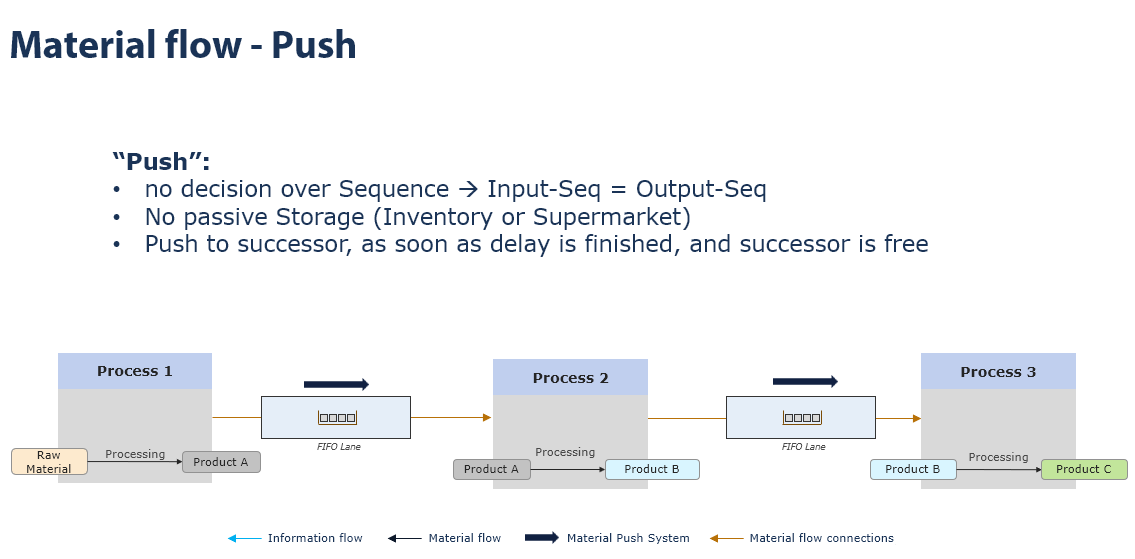
Figure 1 - Material flow - Push
Material flow - Push - Parallel Stations
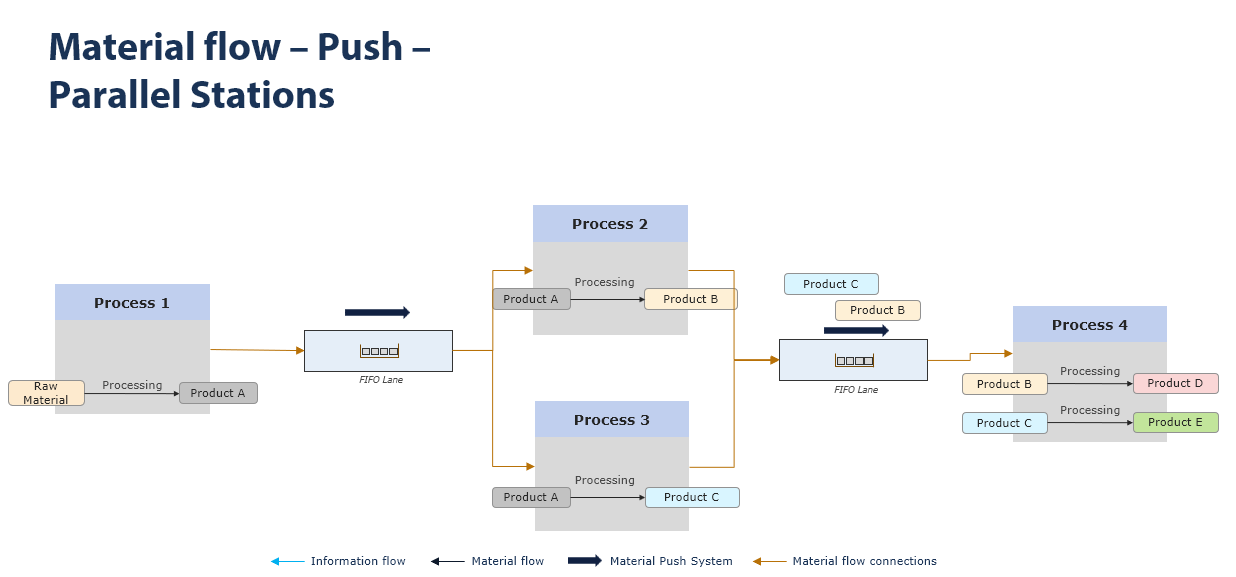
Figure 2 - Material flow - Push - Parallel Stations
Material flow - Withdrawal based on order
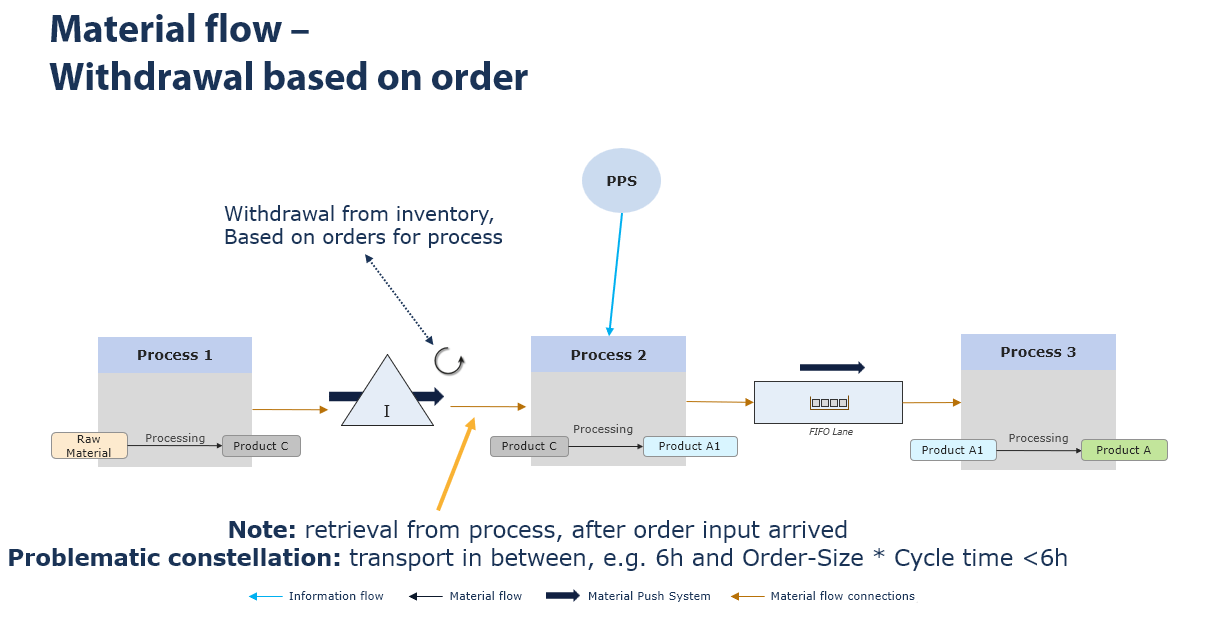
Figure 3 - Material flow - Withdrawal based on order
Material flow - Withdrawal based on order - parallel
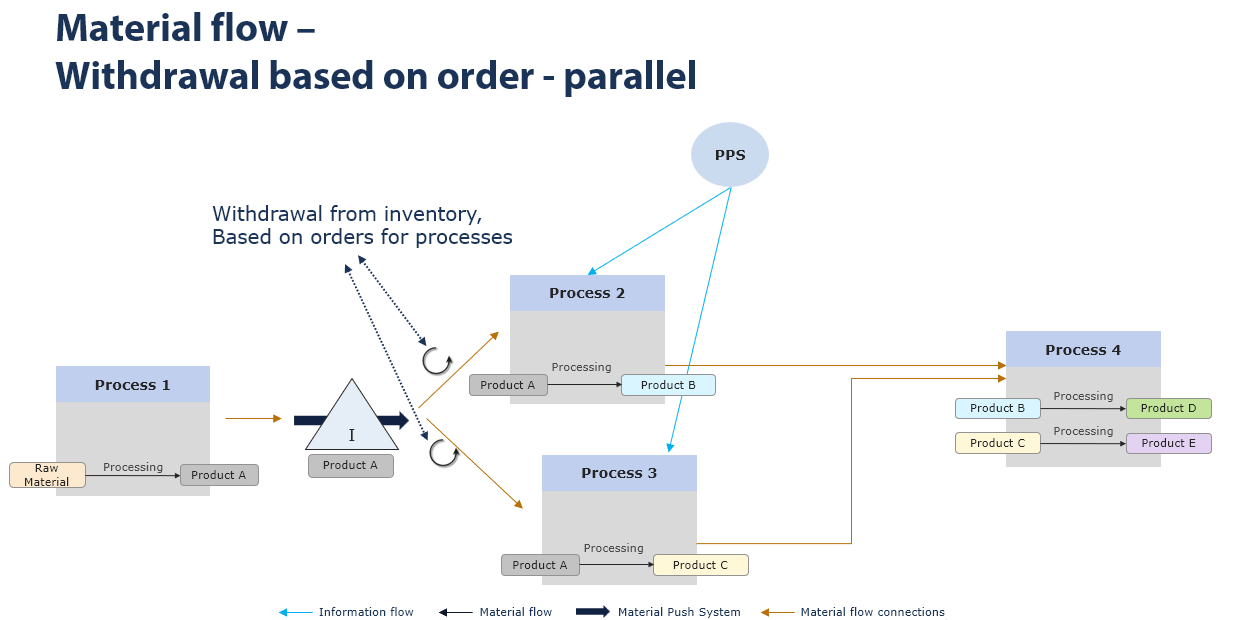
Figure 4 - Material flow - Withdrawal based on order - parallel
Assembly station Material flow - Withdrawal based on order input
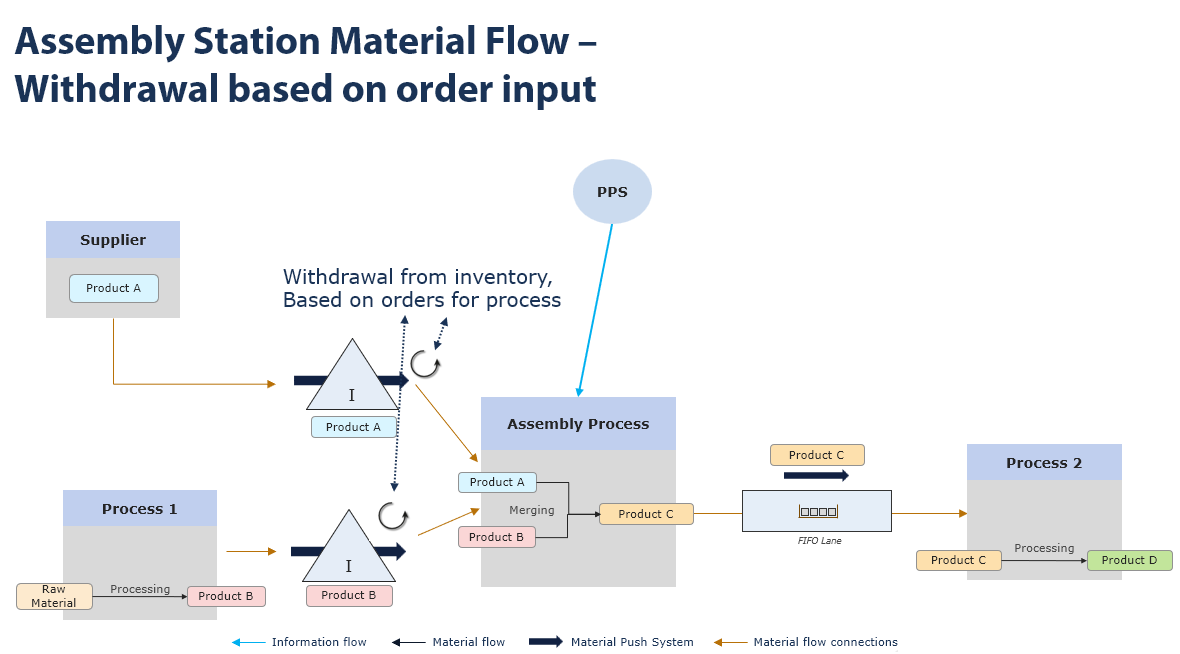
Figure 5 - Assembly station Material flow - Withdrawal based on order input
Assembly station Material flow - Withdrawal based on FIFO triggered order
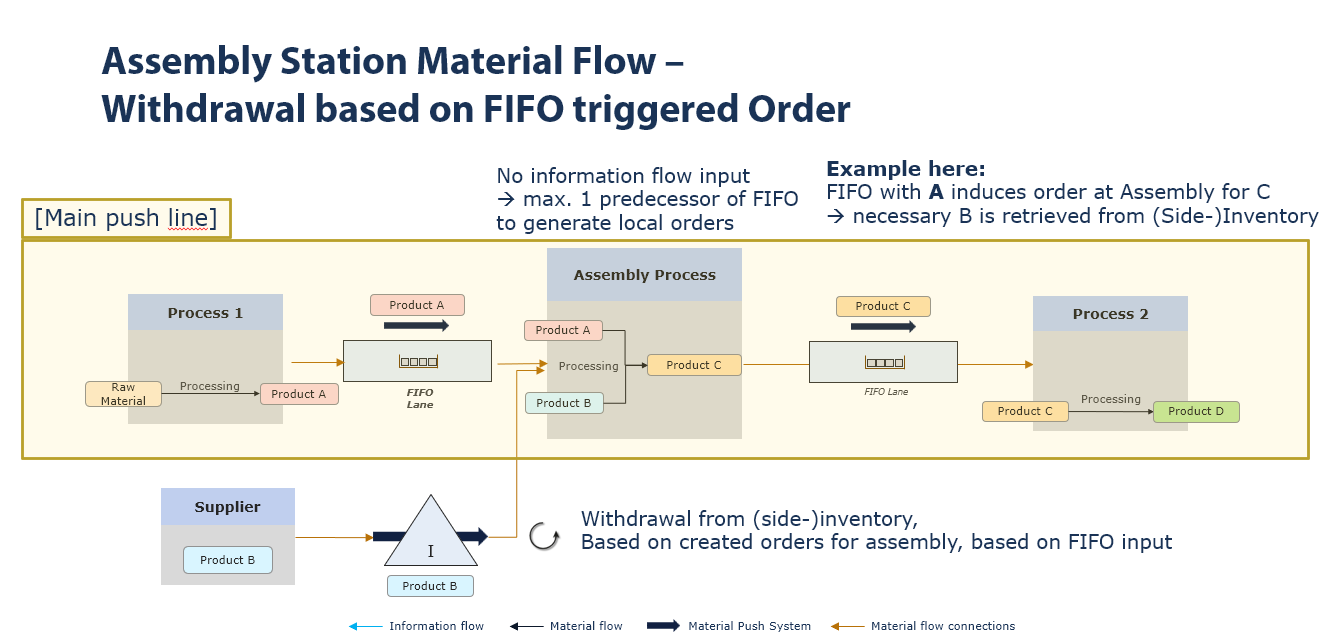
Figure 6 -Assembly station Material flow - Withdrawal based on FIFO triggered order
Modeling with information flow transfer
The following model (Figure 7) shows a simple modeling with information flow transfer from the customer to the PPS system.
From this system, the orders are distributed and scheduled to all process objects connected with information flow arrows using MRP logic.
In addition, the information flow from PPS to the supplier triggers a scheduling run (in a parameterizable interval), which calculates all of the supplier's initial products required for an interval and loads them accordingly at the supplier. The calculation also includes the stocks in the first storage after the supplier.
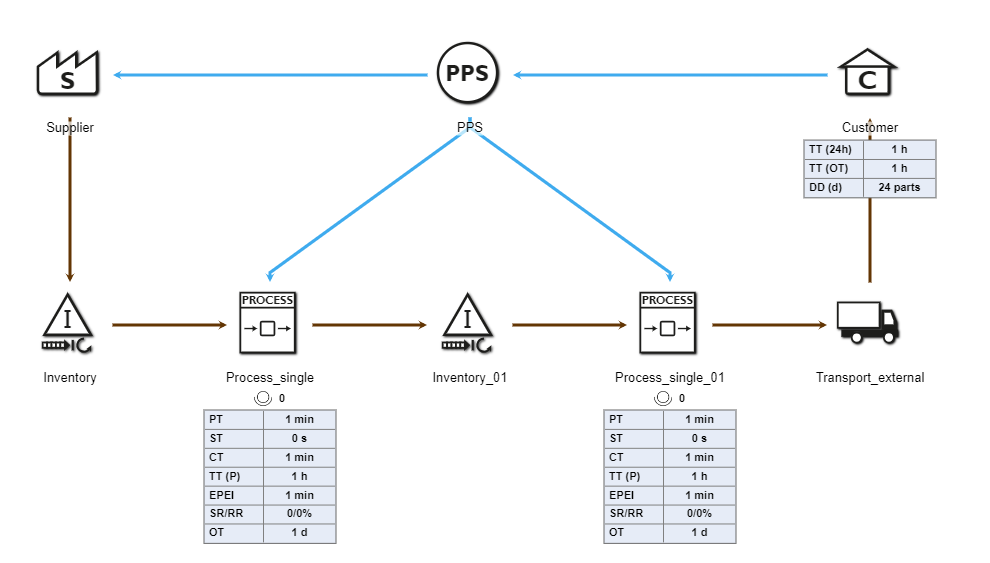
Figure 7 - Modeling with information flow transfer
Frequently, processes are not only loaded with production orders from one production line, but also planned with production orders from other production lines that are not modeled in a value stream, but are nevertheless to be taken into account in a simulation. Using the ForeignOrder object, these shared resources can be projected onto the respective process object and scheduled accordingly as an additional order load (see Figure 8).
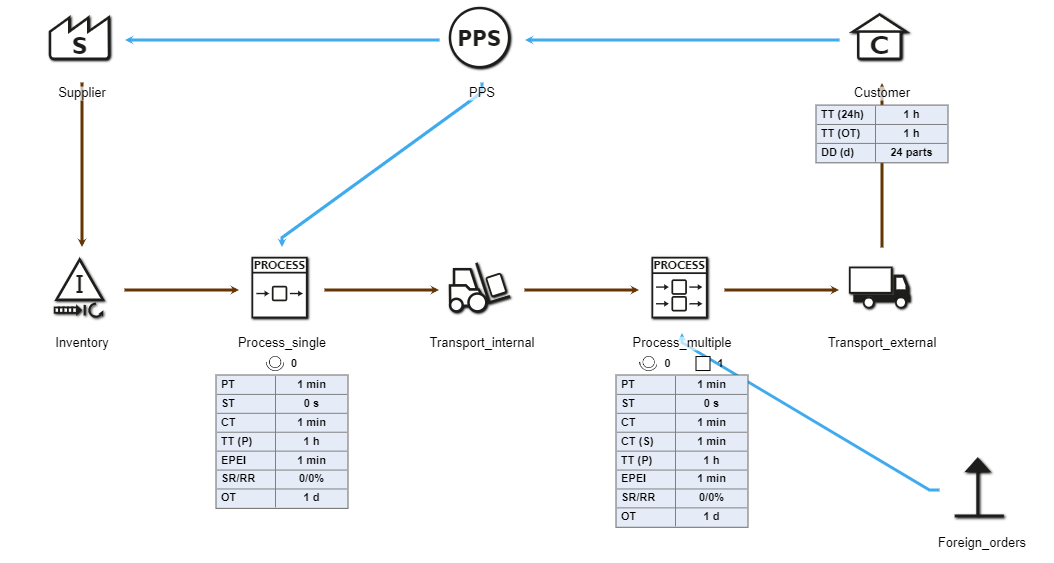
Figure 8 - Foreign order object
A supermarket creates new orders when a certain order limit is not reached. This information can go to the central PPS as well as to a previous process or supplier.
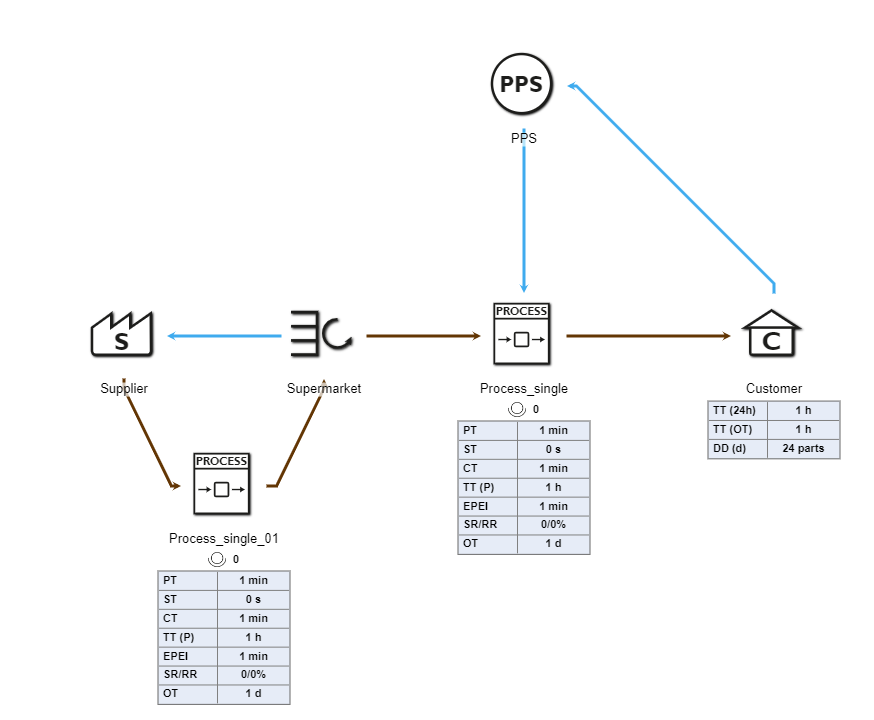
Figure 9 - Supermarket
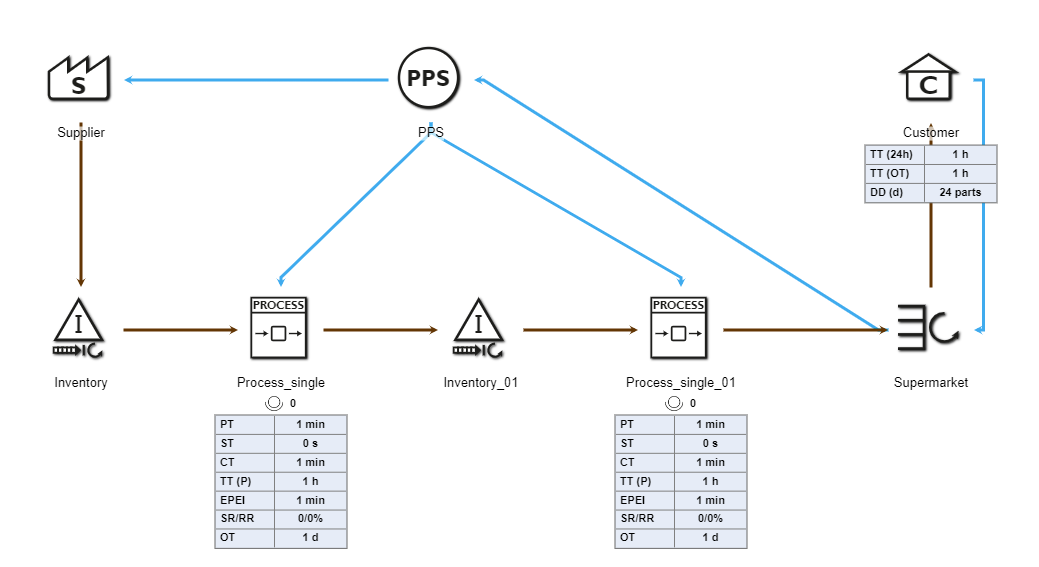
Figure 10 - Supermarket (2)
But there is also the possibility that a supermarket delivers its information regarding new orders to a Kanban object. The Kanban object then ensures that replenishment runs smoothly.
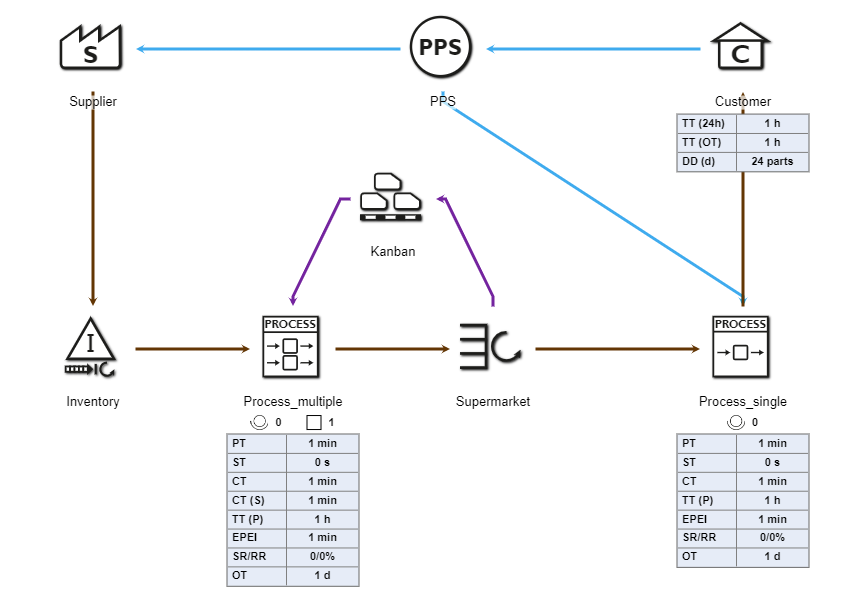
Figure 11 - Kanban
The rework object processes parts that have been selected for rework.
It can be distinguished whether parts are reworked on ordinary process objects or are ejected via a rework connection and reworked on the rework object.
If both cases are not possible on the respective object, the part is passed on in the material flow until it can be reworked or ejected.
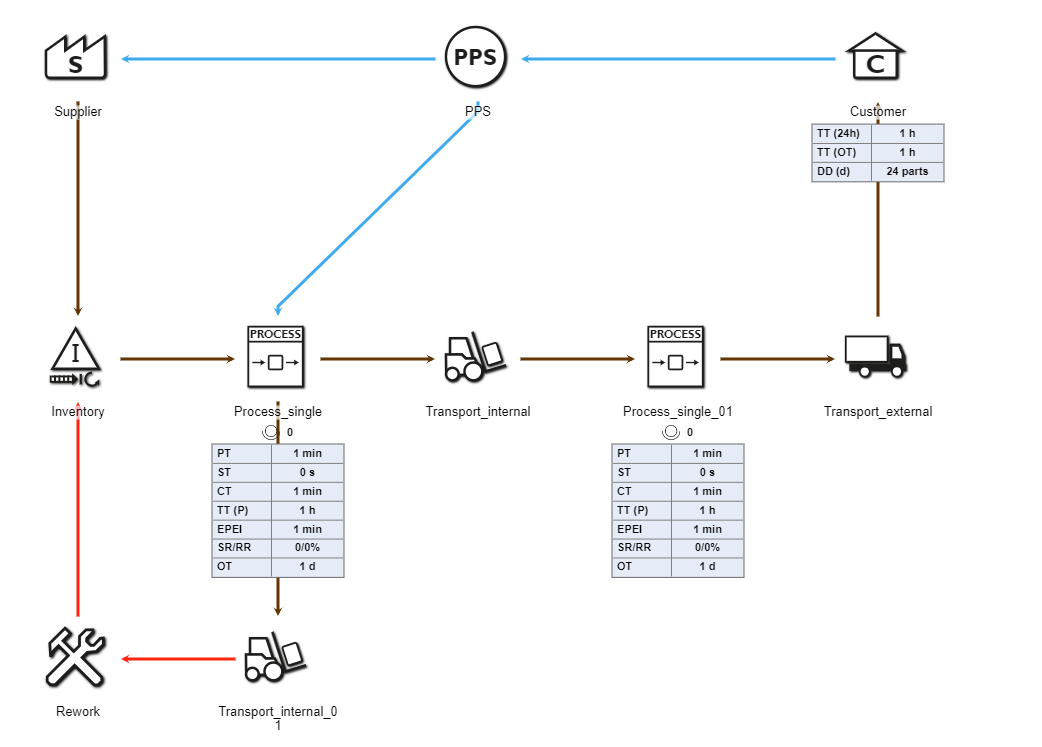
Figure 12 - Rework object
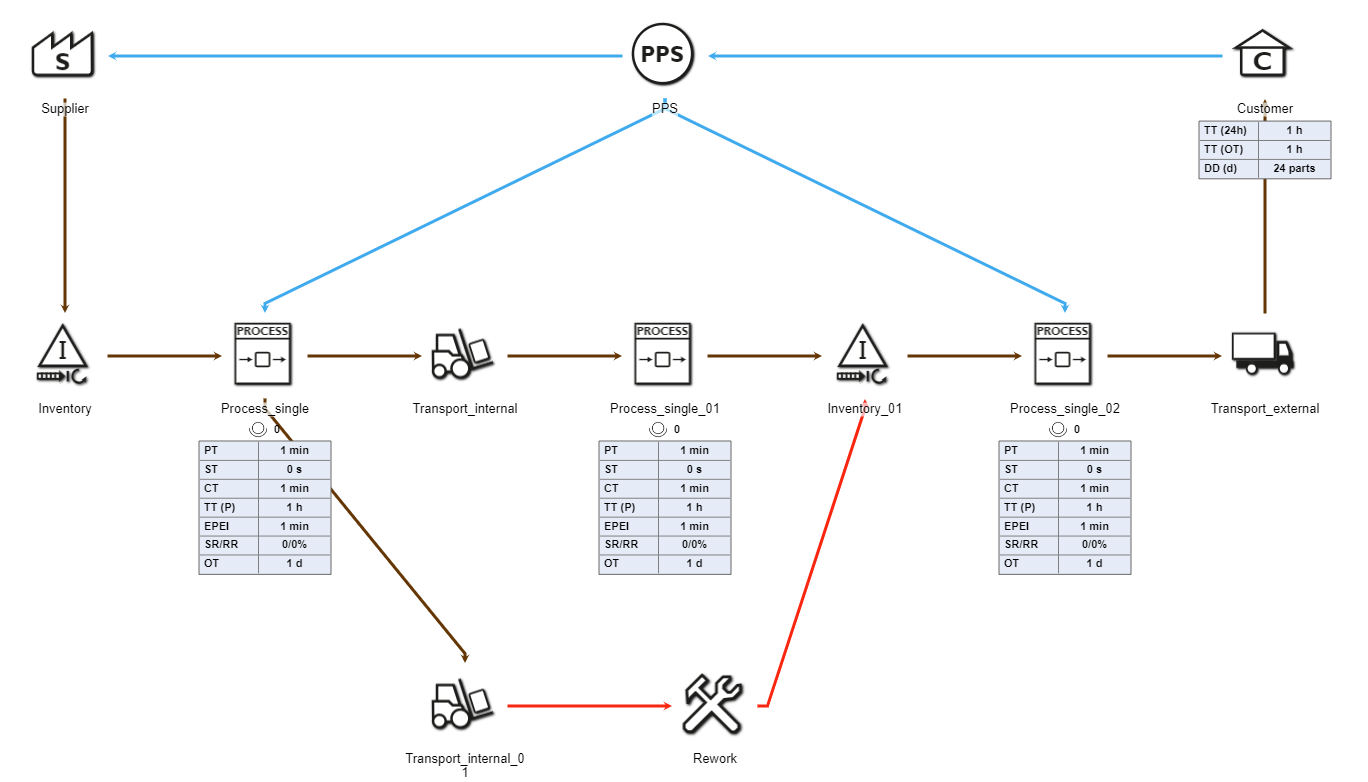
Figure 13 - Rework object
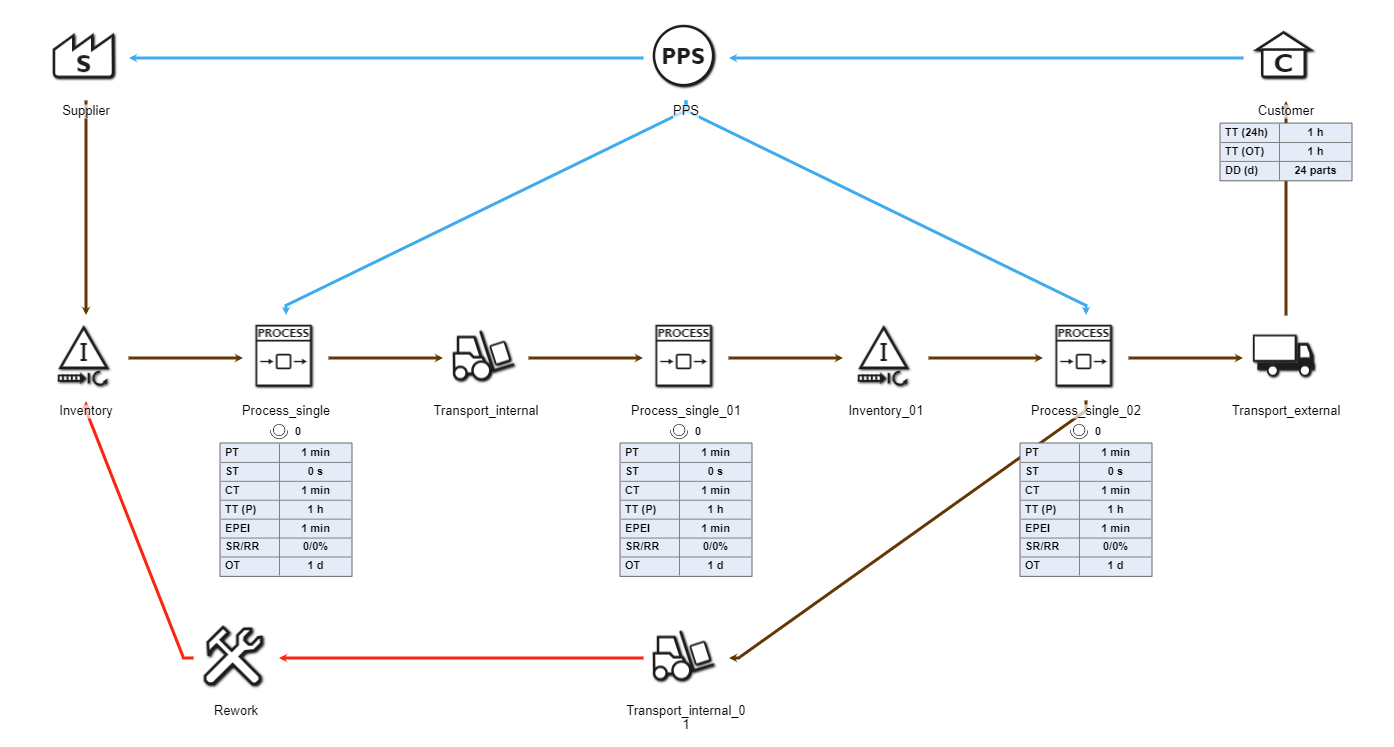
Figure 14 - Rework object
© SimPlan AG - Hanau District Court, Commercial Register (Part B) 6845 - info@simplan.de - www.simplan.de/en