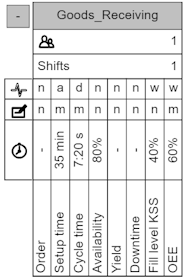
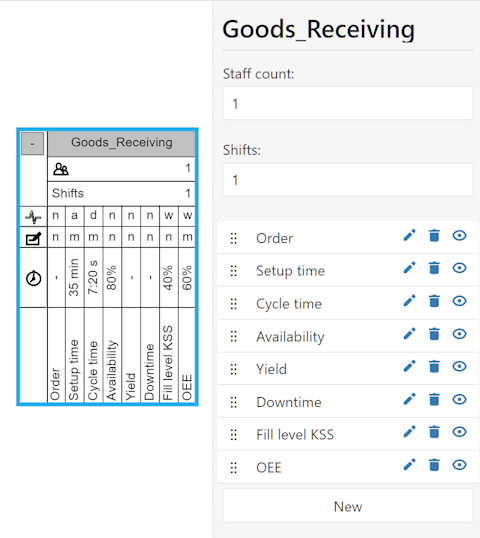
This chapter lists and explains the individual object attributes. A click on an object (Figure 1) opens a side menu in which the selected object and its attributes can be edited (see Figure 2).
|
Figure 3 - Editing object attributes |



Icon |
Description |
|
This slider can be used to rearrange the position of the attribute using drag & drop. |
|
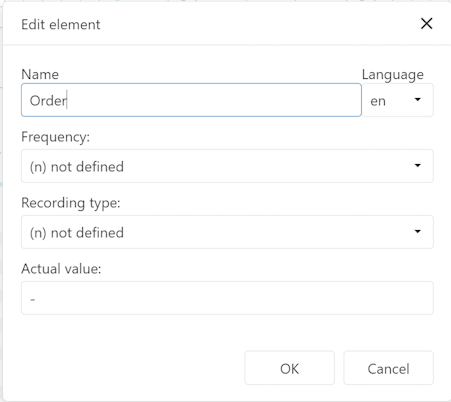
The edit icon opens a dialog where the object attribute can be edited
Figure 4 - Editing attributes |
|
The trash icon deletes the object attribute |
|
The hide icon hides the object attribute |




By clicking on the New button a new attribute can be added to the object.
The corresponding values for the attribute can be entered using the dialog box shown in Figure 5. Clicking OK adds the new attribute to the object.
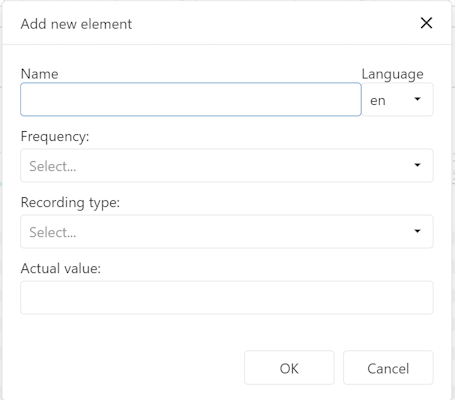
Figure 5 - Creating a new attribute
© SimPlan AG - Hanau District Court, Commercial Register (Part B) 6845 - info@simplan.de - www.simplan.de/en