Contents
The Note object is used to highlight problem areas. It identifies critical processes for developing a successful future presentation.
Figure 1 - Note (Annotation) |
|
Subsequent objects can be selected in the toolbox. The parametrization of the objects is always the same.
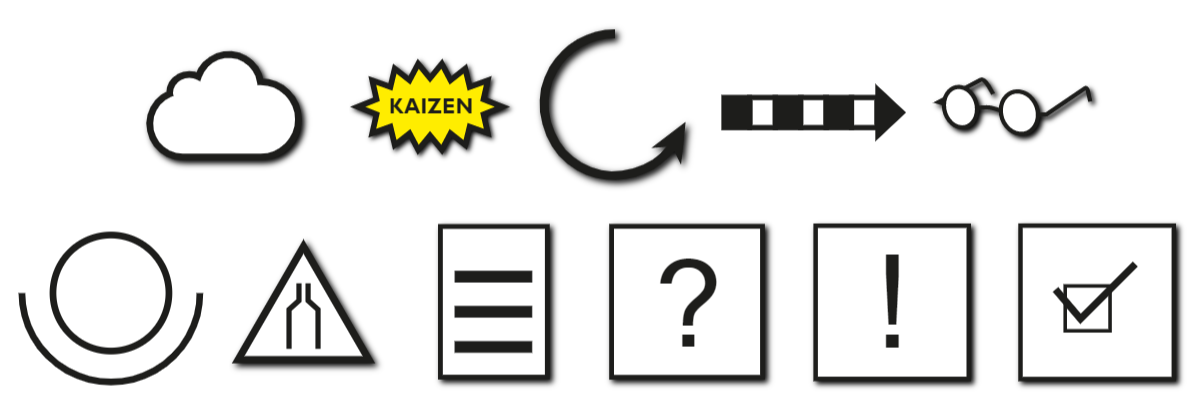
Figure 2 - Different note objects
Replacing Objects via Drag & Drop
Starting with version 3.18, it is possible to replace note objects via drag & drop. To do this, simply drag the desired new object onto an existing one in the modeling interface (see Figure 3).
A blue line indicates that the corresponding object can be replaced. This action must then be confirmed via a dialog box.
|
Note: Only the icon will be replaced - text and formatting will remain unchanged. |

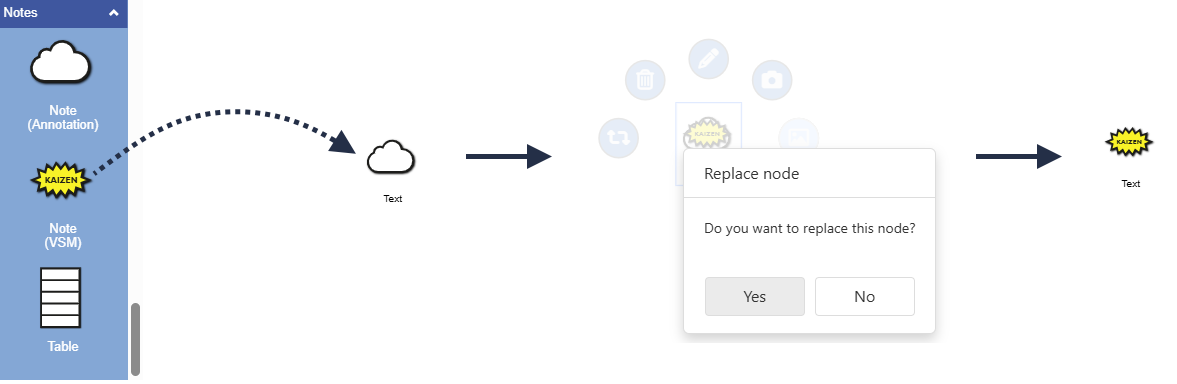
Figure 3 - Replacing note objects
© SimPlan AG - Hanau District Court, Commercial Register (Part B) 6845 - info@simplan.de - www.simplan.de/en