This chapter describes functions and features that are only available in the App Store versions of SimVSM.
Contents
1. Value stream digitization (AI feature)
The magic wand icon |
|
in the menu bar opens a wizard that uses artificial intelligence to recognize objects, text, and edges in a value stream image. |

The functionality is explained on the wizard's start page. From here, you can either take a photo or upload an existing image. In addition, the mentioned method kit can be purchased and an image can be downloaded to test the functionality.
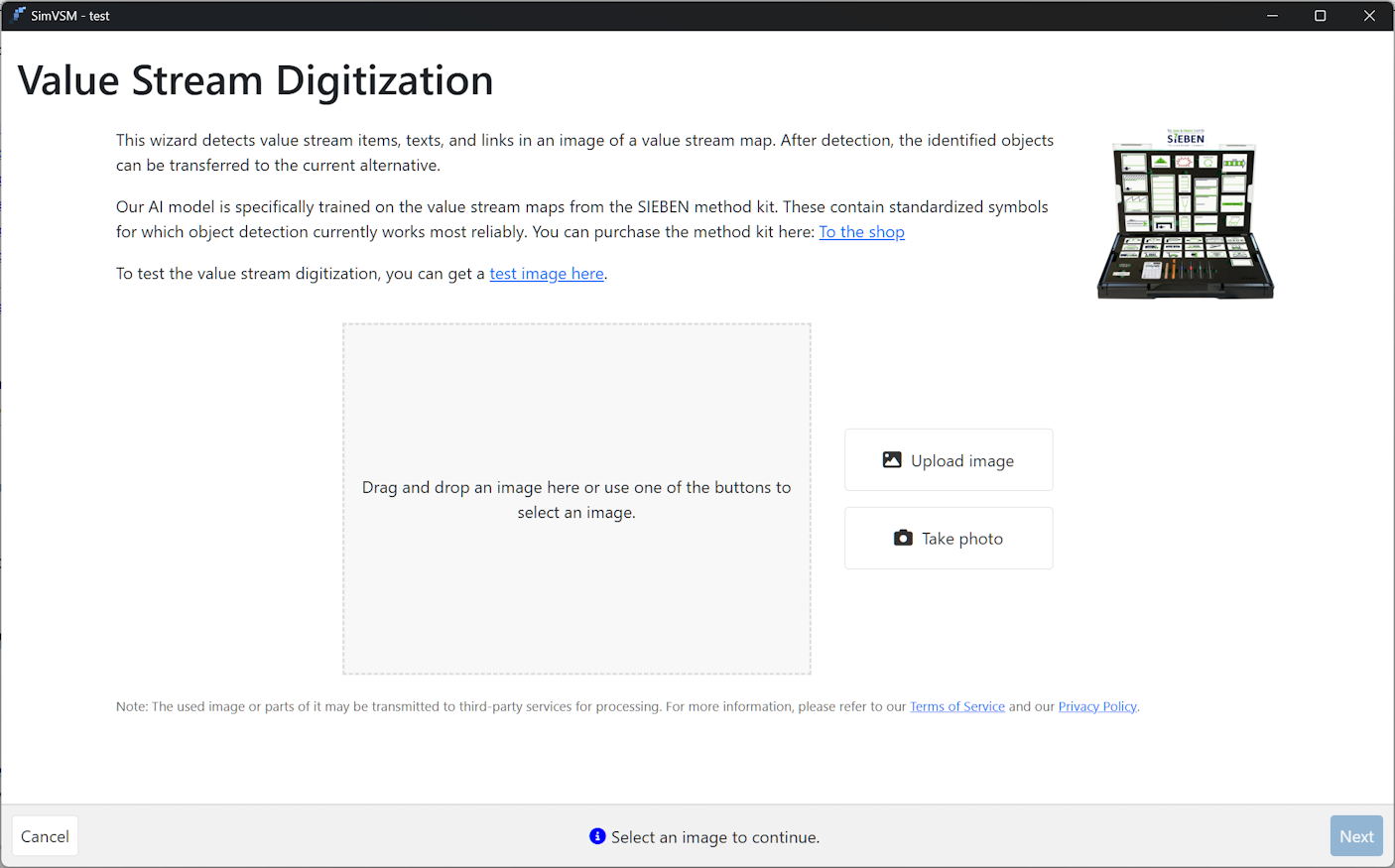
Figure 1 - Wizard Overview
Once an image has been successfully added, click Next to start the recognition process.
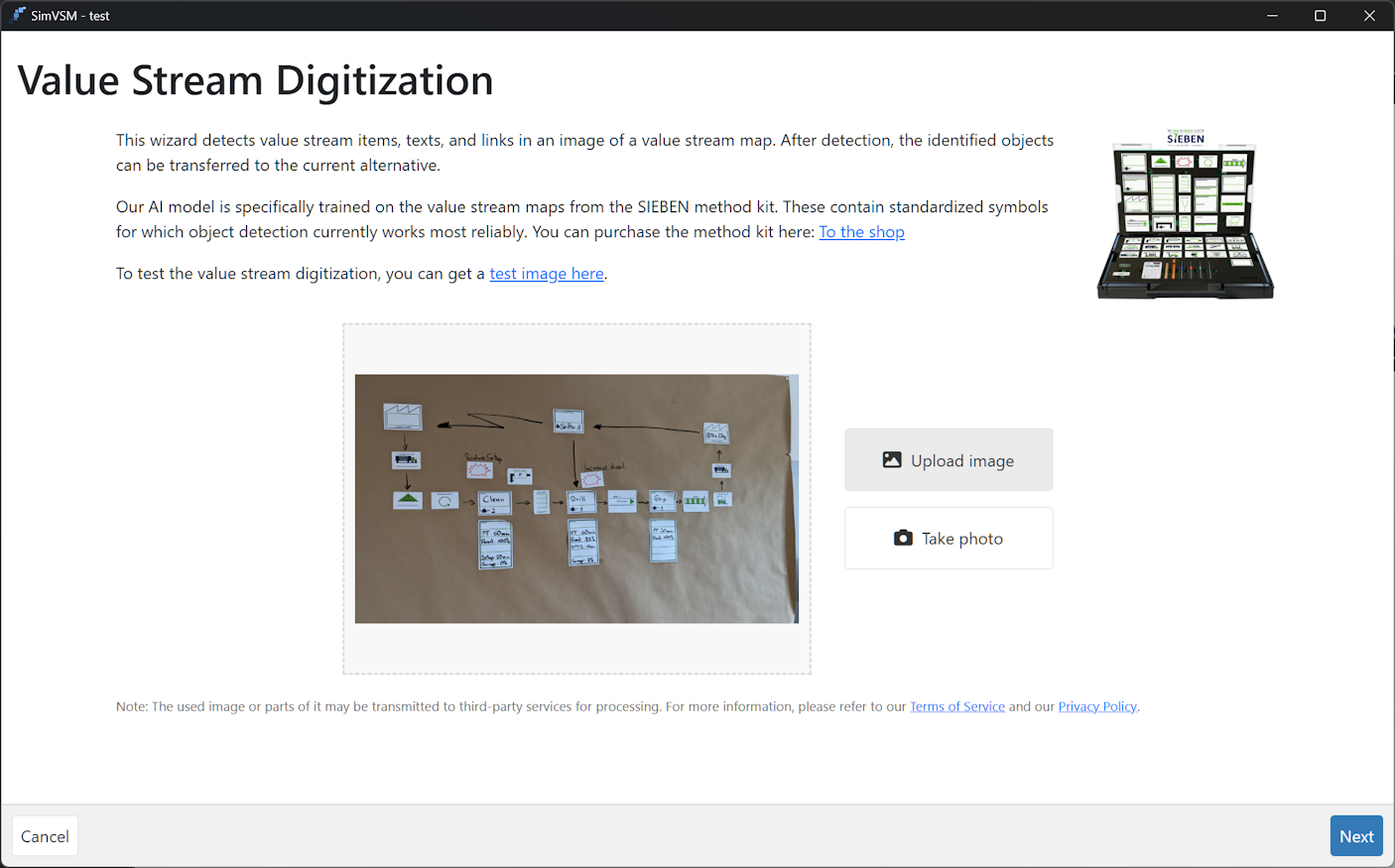
Figure 2 - Add image
The automatic analysis of the image will now start (see Figure 3). In the first step, objects are recognized and displayed as suggestions with a specified probability.
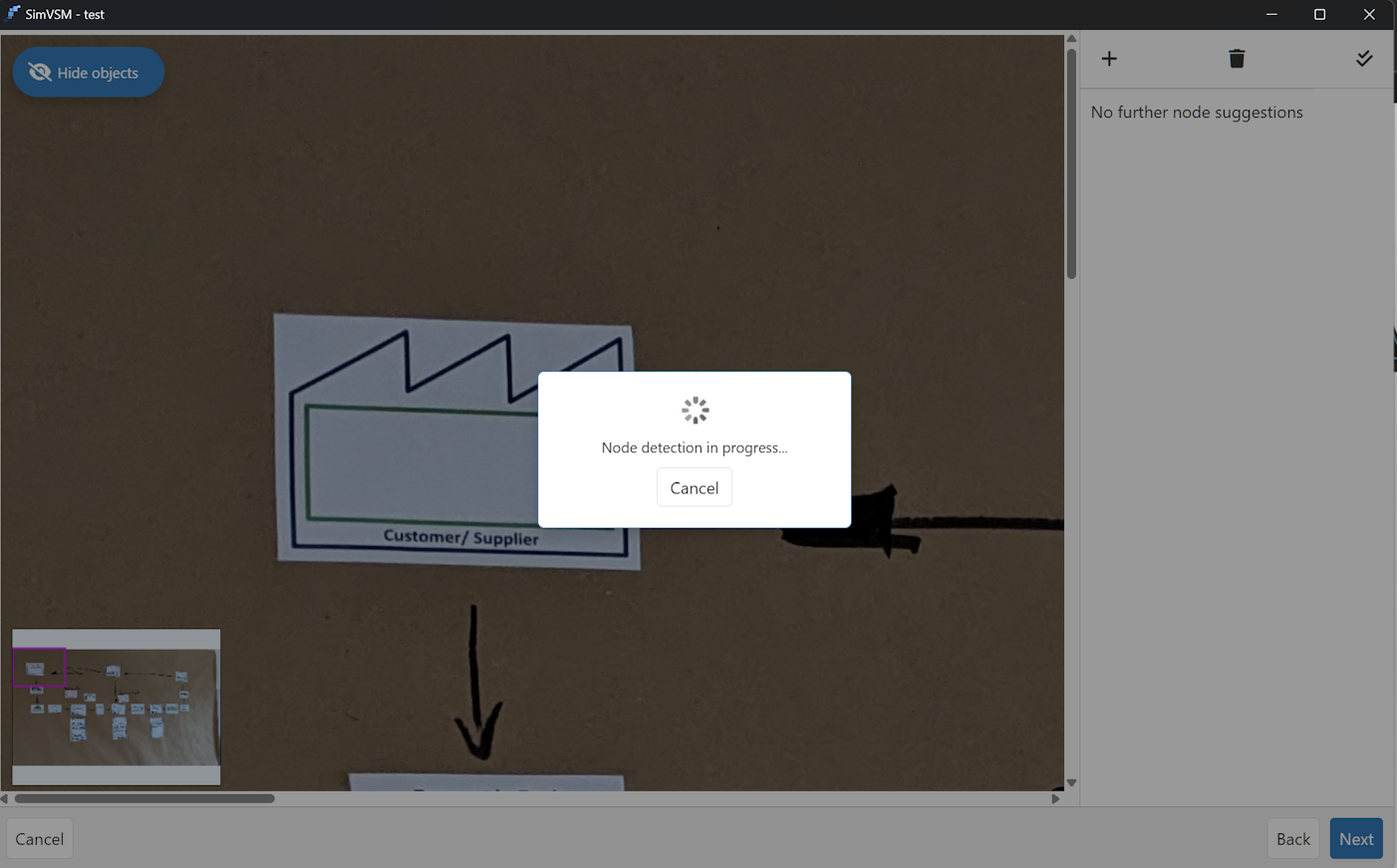
Figure 3 - Object recognition in progress
The suggestions are displayed on the right-hand side (see Figure 4). Click on the green check mark to accept the respective suggestion. Text recognition for the object is then started automatically.
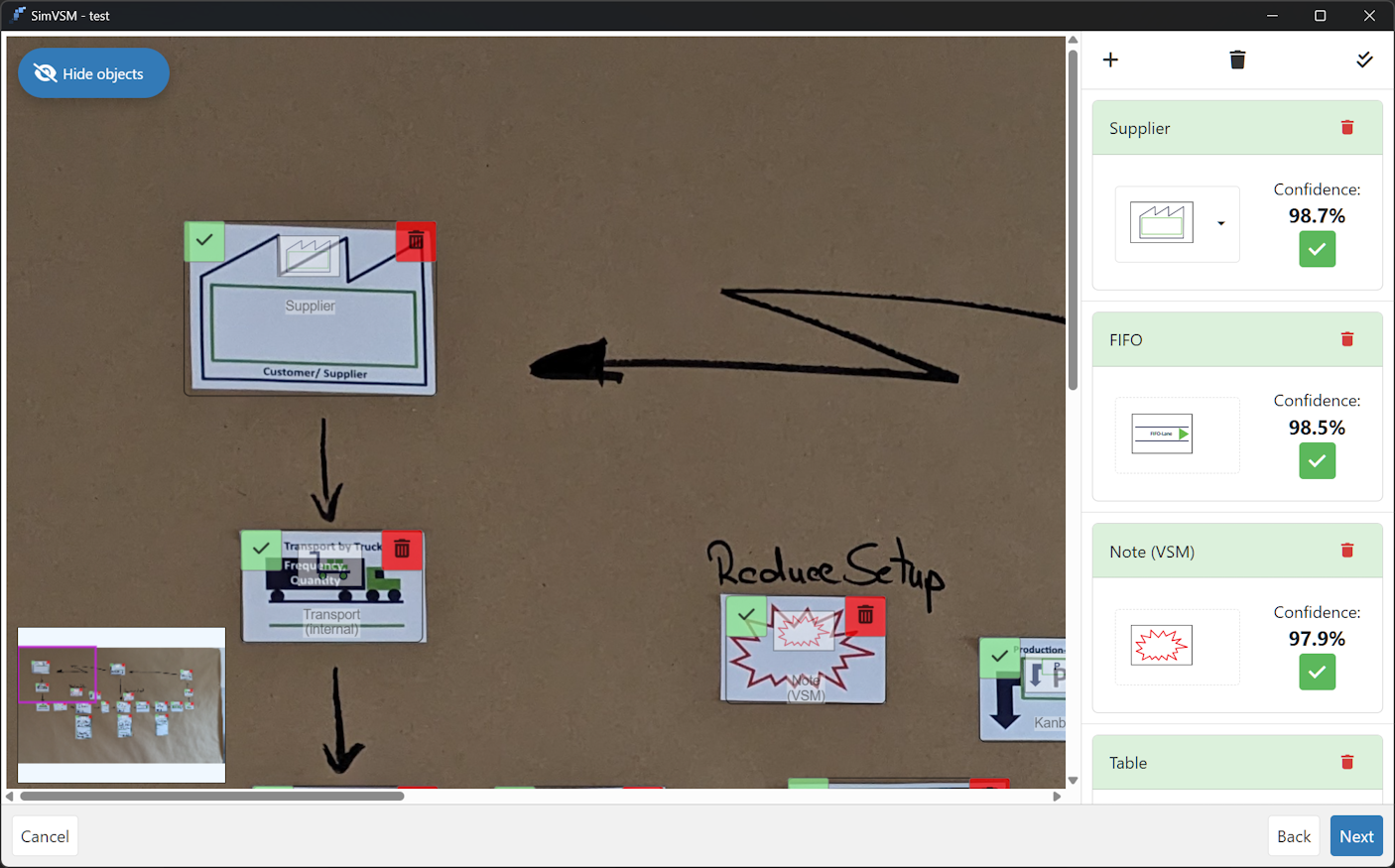
Figure 4 - Object recognition complete
Clicking on the red trash can icon rejects the respective suggestion. New objects can be added manually using the plus icon (see Figure 5).
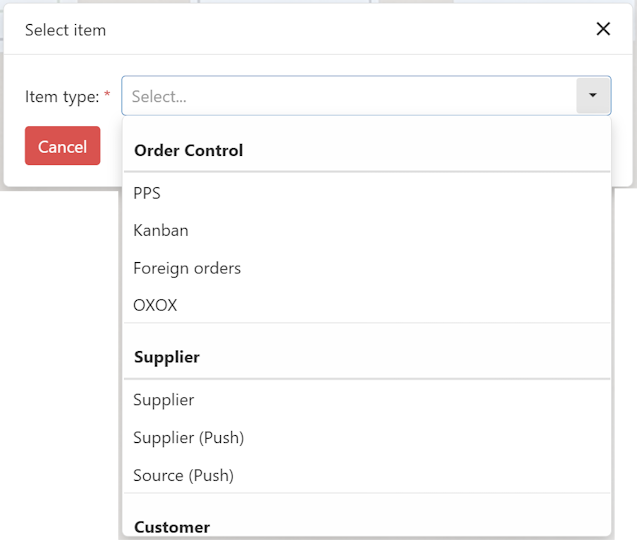
Figure 5 - Adding a object manually
Clicking on the black trash can icon rejects all suggestions at once, while clicking on the double check mark icon accepts all existing suggestions.
Once all suggestions have been accepted, the user is asked whether text recognition should be started for all objects.
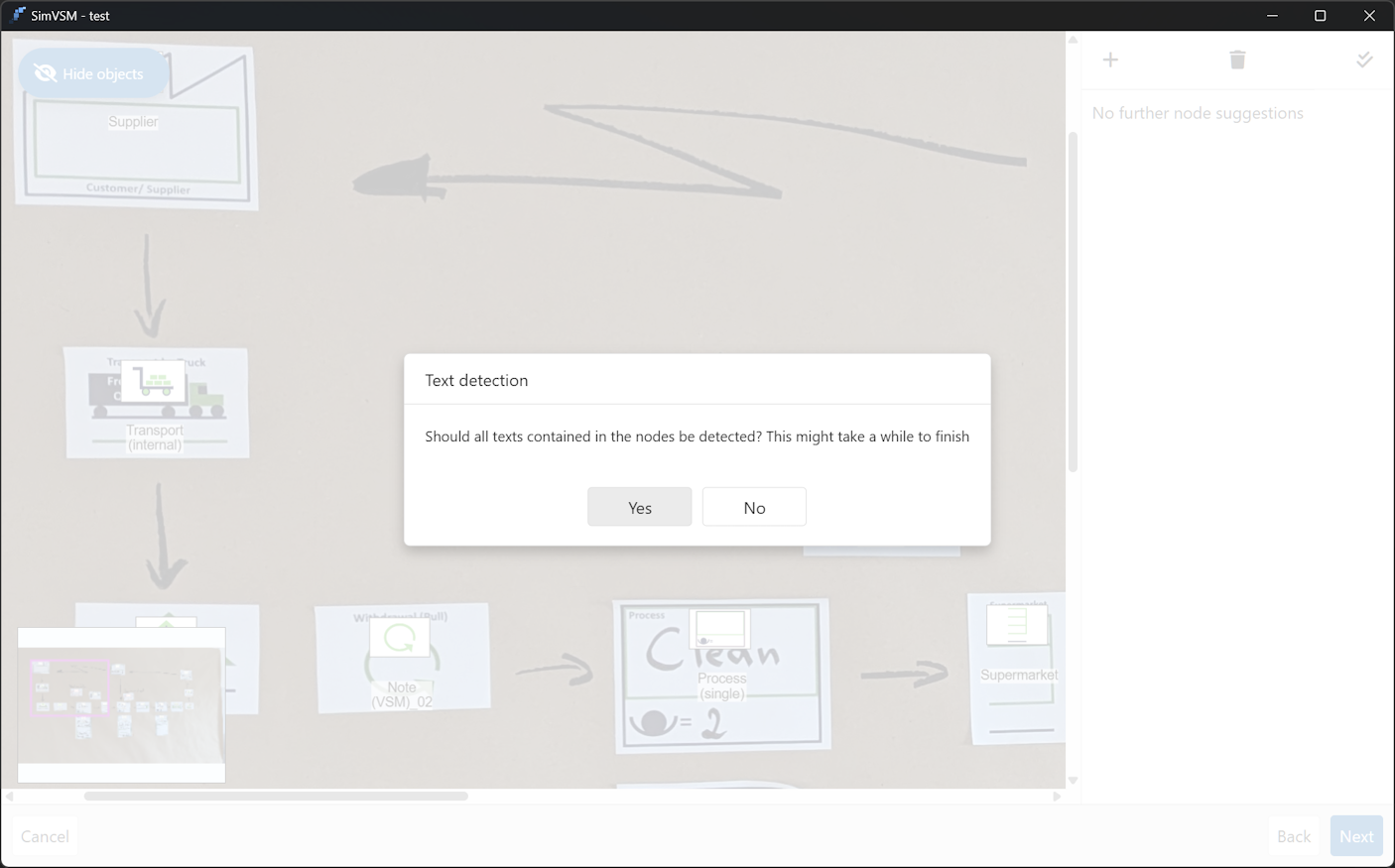
Figure 6 – Text recognition
Text recognition is performed automatically. The number of objects/texts still open is displayed at the bottom of the wizard.

Figure 7 - Text recognition status
Clicking on Next starts edge recognition in the next step. If text recognition has not yet been completed at this point, a corresponding message is displayed.
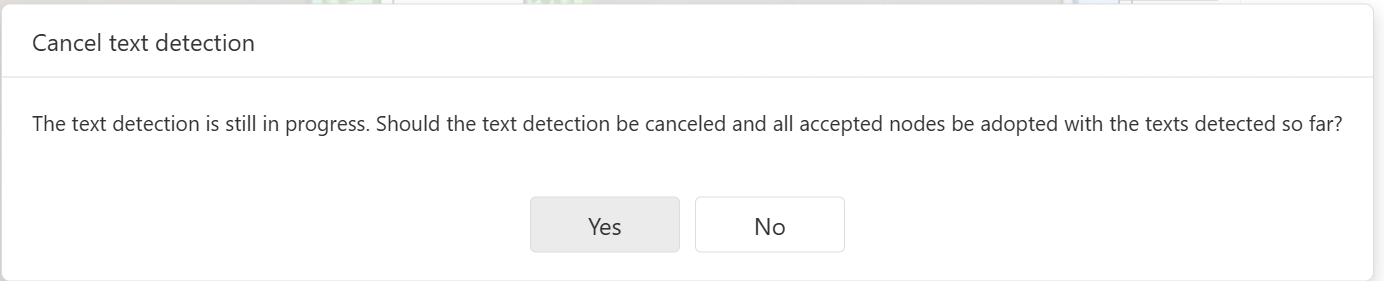
Figure 8 - Cancel text recognition
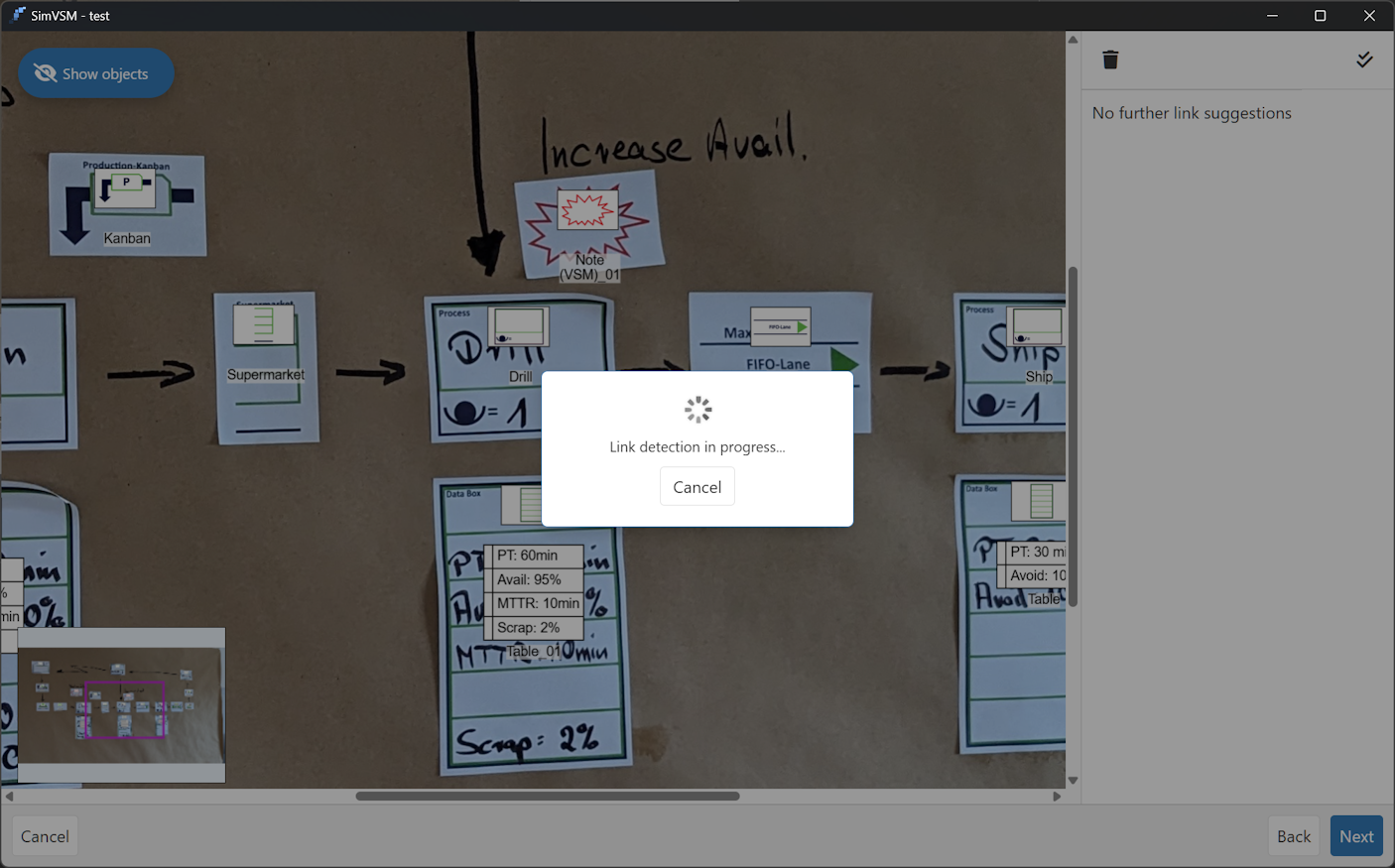
Figure 9 - Edge recognition is performed
In this step, all recognized edges are also displayed on the right-hand side and can be accepted or rejected either individually or all at once. The wizard can then be completed by clicking Next.
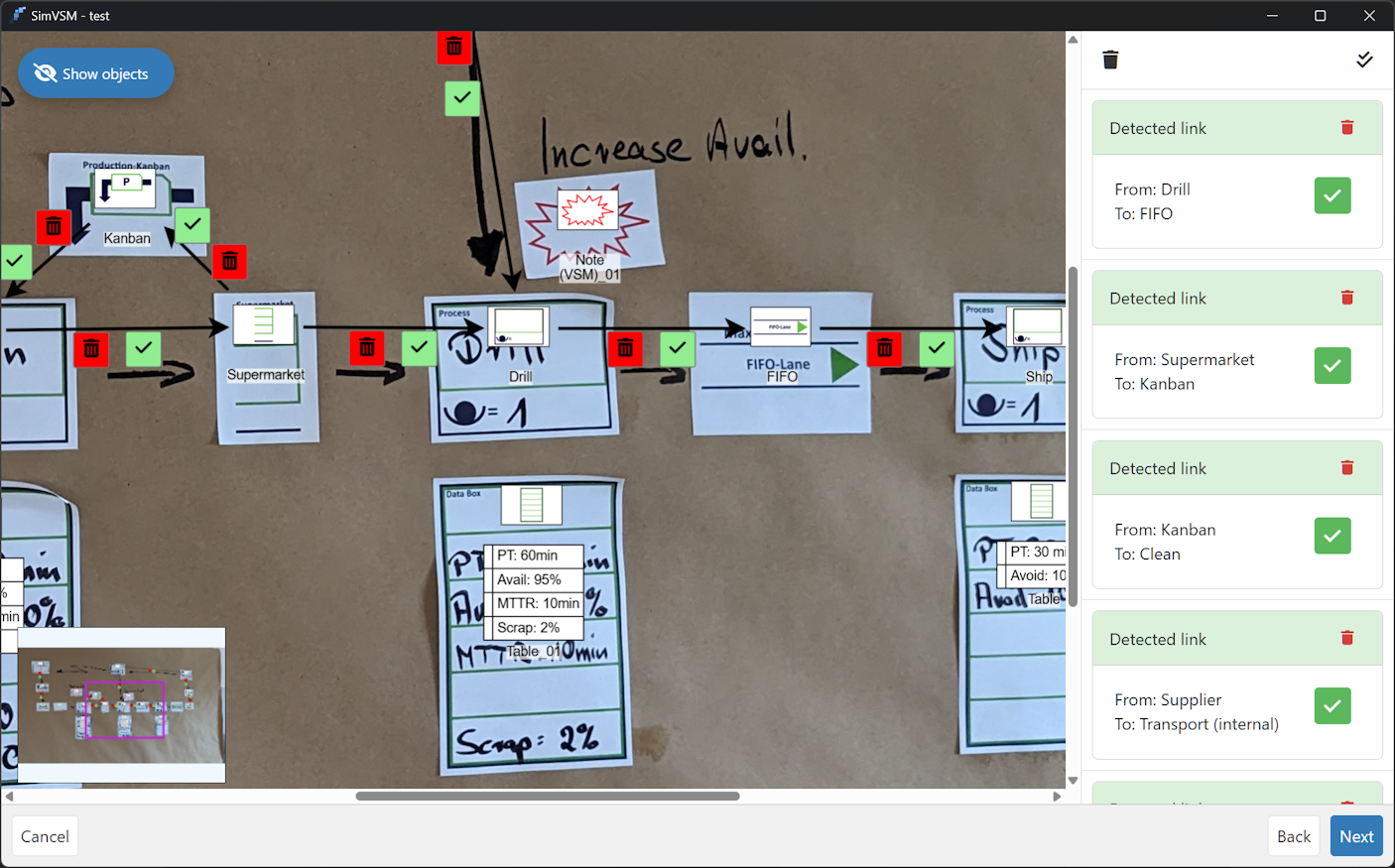
Figure 10 - Edge recognition completed
In a final step, the entire image with all recognized objects and edges is displayed again. In addition, the respective option can be selected using the checkboxes to the right of the image.
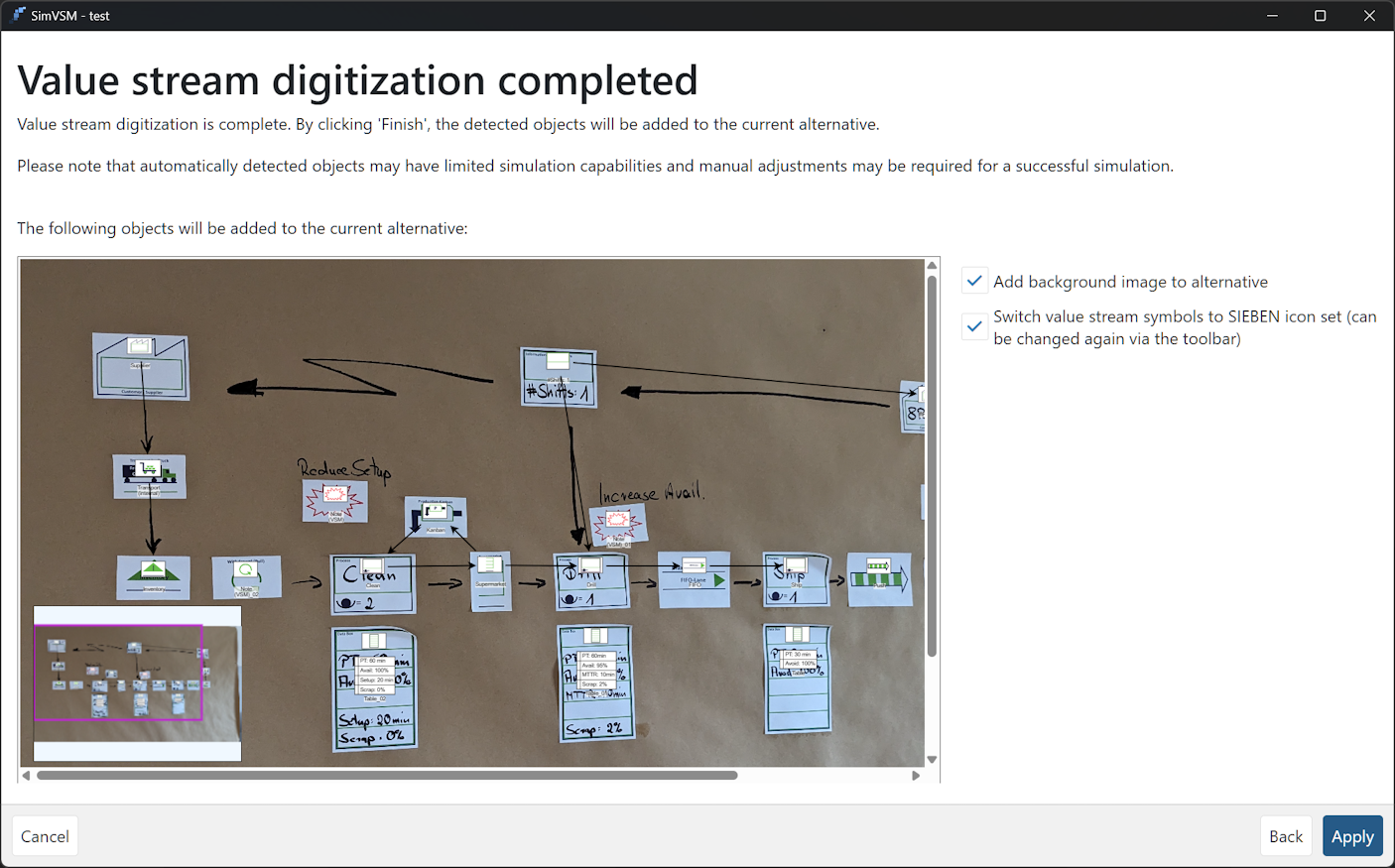
Figure 11 - Complete wizard
Clicking Apply applies all changes made to the current modeling alternative.
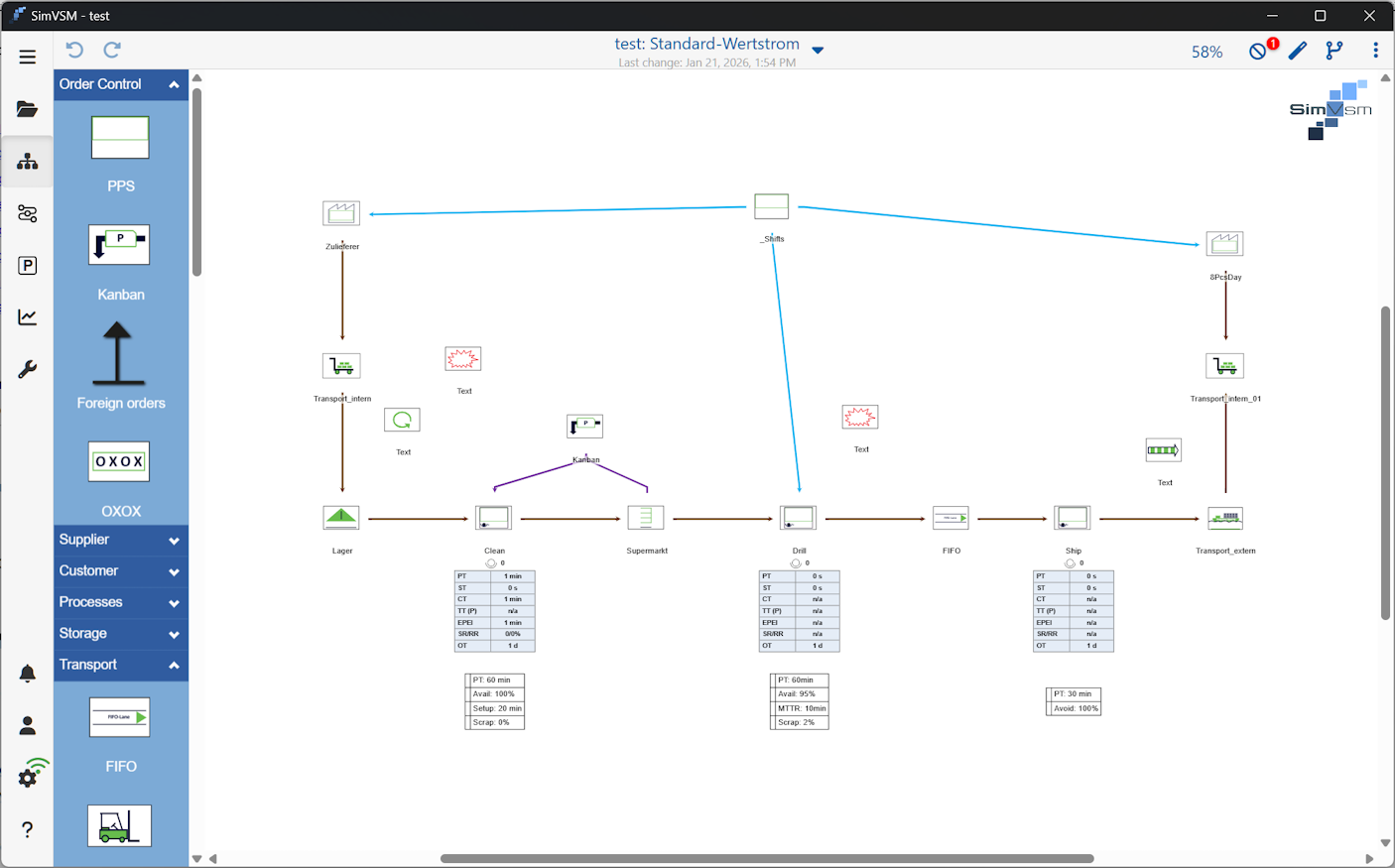
Figure 12 - Apply changes to current alternative
Via the three dotted menu button in the top right corner of the modeling area the icon set can be changed
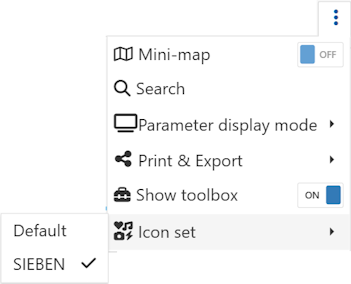
Figure 13 - Change icon set
Standard subscription
•Pricing: First month free, then € 9.99 / month or € 99,99 / year
•Unlimited number of projects and alternatives
•Printing of value streams
•Saving value streams as an image (png) or vector graphic (svg)
•Exporting and importing projects
Premium subscription
•Pricing: First month free, then € 29.99 / month or € 299,99 / year
•Everything from ‘Standard’, plus:
•Recording and storing camera images for individual value stream objects
•Mini overview map for large value streams
•Conducting and storing measurement series with integrated stopwatch functionality
•Comparing and resetting parameter values to the reference alternative
•Customizing the display of edges and text modules
•Additional geometric shapes
•Saving all changes in the information flow dialogue (value stream 4.0)
Ultimate subscription
•Pricing: € 499.99 / month
•Everything in ‘Premium’, plus:
•Enables the execution of unlimited simulation runs
SimVSM Pro
•Pricing: on request
•Everything from ‘Ultimate’, plus:
•server connection for central user and project management
•Scalable license models
•Desktop application
The application can be downloaded from the relevant store using the following QR codes:

Figure 14 - App stores
© SimPlan AG - Hanau District Court, Commercial Register (Part B) 6845 - info@simplan.de - www.simplan.de/en